> ## Documentation Index
> Fetch the complete documentation index at: https://cubed3-claude-gallant-ramanujan-hgtxbv.mintlify.site/llms.txt
> Use this file to discover all available pages before exploring further.
# User groups
> Organize Cube Cloud users into groups and tie those groups to data access policies instead of managing every account in isolation.
User groups allow you to organize users and manage access collectively.
Instead of assigning [user attributes][ref-user-attributes] to individual users, you can add users to groups for easier management at scale.
[Access policies][ref-dap] can be configured based on groups to control [row-level security][ref-rls].
## Creating groups
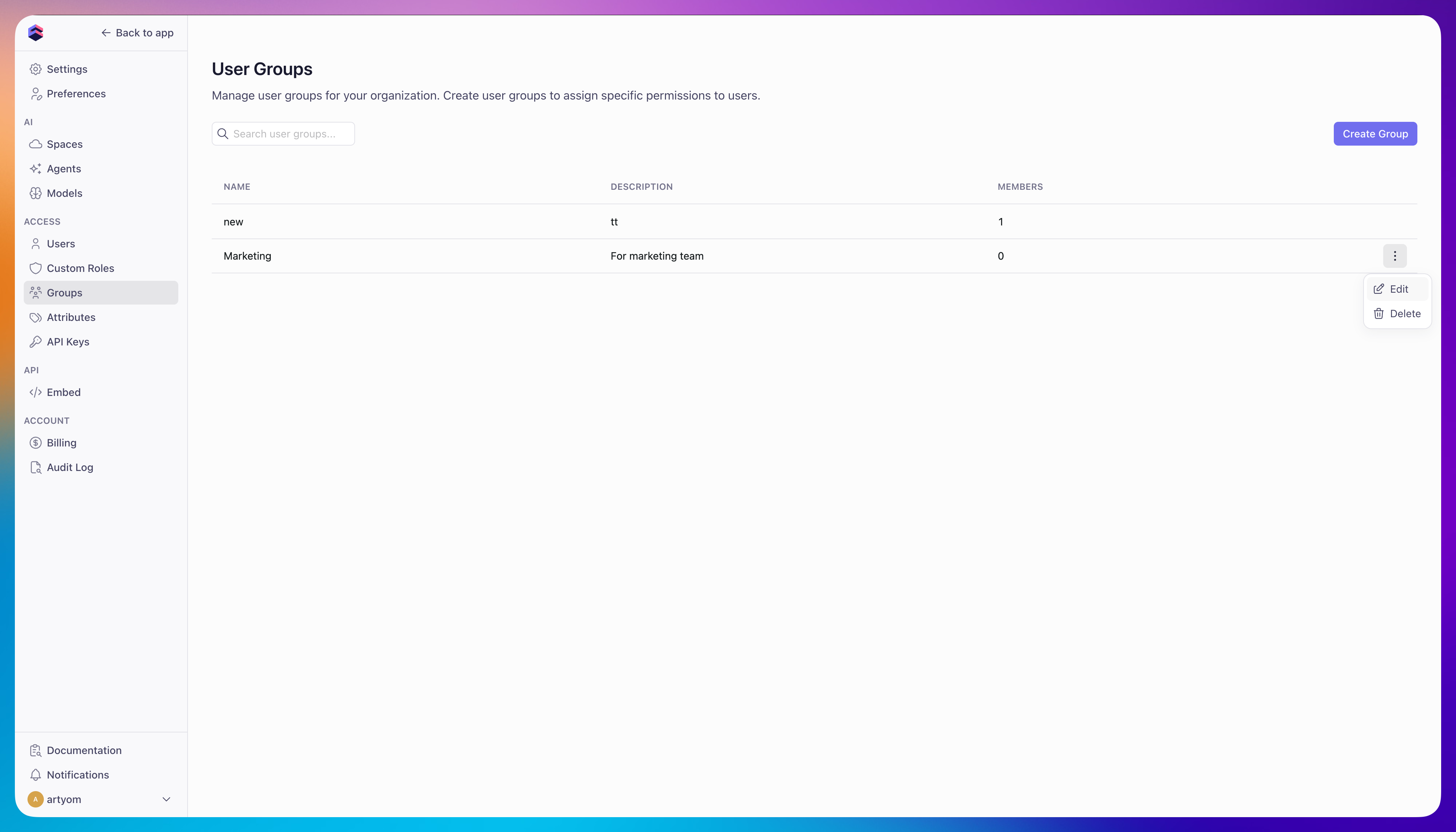
To create a user group:
1. Navigate to **Admin → User Groups**
2. Click **Create Group**
3. Enter a group name and optional description
4. Add users to the group
 ## Group roles
A group can also confer a [role][ref-roles] on its members. Open a group's
**Roles** section to assign it one or more roles, including Admin. Everyone in
the group gets the role in addition to whatever role is assigned to them
individually — the group doesn't replace a user's own role. Assigning the
Admin role to a group asks for confirmation, since it grants admin access to
every current and future member of that group.
[ref-user-attributes]: /admin/users-and-permissions/user-attributes
[ref-rls]: /docs/data-modeling/access-control/row-level-security
[ref-dap]: /docs/data-modeling/data-access-policies
[ref-roles]: /admin/users-and-permissions/roles-and-permissions
## Group roles
A group can also confer a [role][ref-roles] on its members. Open a group's
**Roles** section to assign it one or more roles, including Admin. Everyone in
the group gets the role in addition to whatever role is assigned to them
individually — the group doesn't replace a user's own role. Assigning the
Admin role to a group asks for confirmation, since it grants admin access to
every current and future member of that group.
[ref-user-attributes]: /admin/users-and-permissions/user-attributes
[ref-rls]: /docs/data-modeling/access-control/row-level-security
[ref-dap]: /docs/data-modeling/data-access-policies
[ref-roles]: /admin/users-and-permissions/roles-and-permissions